
Solar Inverter Error Codes & Alarm Reference
One line: Faults and alarms behave differently — read the indicator first, then the code. Some codes clear on their own; three do not, and those need the manufacturer.

Fault vs alarm — read the indicator first
| Type | Indicator | Buzzer | System action | Recovery |
|---|---|---|---|---|
| Alarm (warning) | Alarm/fault light flashes | Sounds once per second for 1 minute | Then stops | Clears when the condition ends |
| Fault | Fault light stays lit, LED red solid, code on LCD | Sounds for 10 seconds, then stops | System attempts restart; after six attempts it stays in fault | Requires full power removal or a 30-minute wait |
| Fault lock | Code on LCD | — | A recoverable fault can restart 6 times within 15 minutes | Beyond six attempts the lock triggers; clears after 15 minutes |
The first action in any troubleshooting sequence is to note which light is doing what. A flashing light is an alarm — usually a condition the system can ride out. A solid light is a fault — the unit has stopped and wants intervention.
Fault codes
| Code | Meaning | Trigger | Recoverable |
|---|---|---|---|
| 1 | Bus soft-start failure | Bus voltage did not reach the set value | Yes |
| 2 | Bus over-voltage | Bus voltage above the protection point | Yes |
| 3 | Bus under-voltage | Bus voltage below the protection point | Yes |
| 4 | Battery over-current | Current interrupt triggered twice or more within 2 ms | No |
| 5 | Over-temperature | Temperature above threshold, or fan blocked | Yes |
| 6 | Battery over-voltage | Battery voltage above the set value | Yes |
| 7 | Bus soft-start fault | Soft-start window passed but bus voltage did not reach the set value | Yes |
| 8 | Bus short circuit | Bus voltage below the critical value when inverter or PFC engaged | Yes |
| 9 | Inverter soft-start fault | Rated output voltage not reached after soft-start | Yes |
| 10 | Inverter over-voltage | Inverter voltage above the set value | Yes |
| 11 | Inverter under-voltage | Inverter voltage below the set value in battery mode | Yes |
| 12 | Inverter short circuit | Current above the set value at low inverter voltage, in battery or standby mode | Yes |
| 13 | Negative power protection | Load power below the set value in battery mode (e.g. −1200 W) | Yes |
| 14 | Overload fault | Overload beyond the defined limit | Yes |
| 15 | Model fault | Model detection matches no known model | — |
| 16 | No start-up program | Third digit of the communication value incorrect | — |
| 26 | BMS fault | Error code in the BMS message | Yes (disable BMS comms or clear the BMS fault) |
| 27 | MCU fault | MCU error | No |
| 29 | Inverter time-zone fault | Ten or more fast over-current events in each of four consecutive half-cycles | Yes |
Alarm codes
| Code | Meaning | Action | Trigger | Recovery |
|---|---|---|---|---|
| 50 | Battery open circuit / not connected | Alarm, battery not charging | Battery below 8 V (HE200-2500-O); or not detected within 10 minutes (HE200-6500-T / 7200-F) | Battery above 10 V; or charge for 2 minutes after connecting |
| 51 | Battery under-voltage shutdown | Alarm, battery low-voltage shutdown or failure to start | Battery voltage below the set value | Recovers when battery voltage is restored |
| 52 | Battery low voltage | Alarm | Battery voltage below the set value | Recovers when battery exceeds the set value by 2 V |
| 53 | Charger short-circuit warning, battery not charging | Alarm | HE200-6500-T: individual cell below 6 V with charge current. HE200-7200-F: battery below 20 V with charge current above 4 A | No |
| 56 | BMS lost | Alarm | BMS communication failed with the function enabled | Comms disabled, or connection restored |
| 58 | Fan fault | Alarm, fans run at full speed | Any fan making fewer than 10 rotations in 5 seconds (HE200-3000-O-I5); or no fan speed signal detected (HE200-6500-T / 7200-F) | Recovers when a fan speed signal is detected |
| 59 | EEPROM fault | Alarm | EEPROM read/write abnormality | Recoverable by restoring factory defaults |
| 60 | Overload | Alarm | Supply current, discharge current or load power above rating (HE200-6500-T); output current above 40 A (HE200-7200-F) | HE200-6500-T: when all three fall below rating. HE200-7200-F: when output current drops below 38 A |
| 62 | PV energy on | Alarm; stops PV output to the load, keeps PV charging the battery | Bus voltage below the set value with no battery connected | Battery or utility connected |
Code 34 appears in some HE200-6500-T / HE200-7200-F manuals without a defined meaning. We note it as undefined rather than guess.
Troubleshooting quick reference
| Symptom | Condition | Action |
|---|---|---|
| Code 5 — over-temperature | Fan locked for over 10 seconds | Check the fan is connected and the wiring is secure. If it is disconnected for over 10 seconds the unit reports code 5. |
| Code 12 — inverter short circuit | Below 80 V inverter voltage with over 5 A inverter current, response within 80–100 ms | ① Check the output terminals for a short — a screw piercing a terminal can short L and N. ② Verify the inverter voltage and current conditions. |
| Code 15 — model fault | Model detection matches nothing | Check the control board is assembled correctly and the correct firmware is flashed. |
| Code 16 — no start-up program | Communication third digit incorrect | Send command TIDA1911000000000000. |
| Code 58 — fan fault | Fewer than 10 rotations in 5 seconds | ① Check the fan connection. ② If correct, check the detection circuit (excess solder under the control-board socket is a common cause), then check for a failed fan. |
| Will not start — battery | Battery mode needs ≥11.5 V per cell | ① Check battery voltage sampling and calibration. ② Measure at the battery terminals with a multimeter and confirm the minimum per-cell voltage. ③ Check item 46 in the parameter list for BSU configuration. Configuring the wrong battery voltage for the model can cause the capacitor to burst. |
| Will not start — utility | — | ① Check the supply terminals for a short — a screw through the housing can short live and neutral. ② Check for wiring errors, such as the supply input connected to the output terminal. |
| Will not start — PV | — | Check whether the PV input voltage is too close to the threshold. |
| PV not charging | — | Connecting the wrong battery voltage can damage the PV-side auxiliary supply, causing power loss and loss of communication with the main controller. |
Standard troubleshooting sequence
- Isolate. Disconnect the inverter from all external power sources and wait at least 5 minutes before working on it.
- Read the code. Note the code on the LCD.
- Classify. Solid light → fault table. Flashing light → alarm table.
- Check the trigger condition. Compare voltage, current and temperature readings against the trigger band for that code.
- For recoverable faults. Try full power removal or a 30-minute wait.
- For non-recoverable faults. Codes 4, 27 and 53 require the manufacturer.
- Fault lock. Six restarts in 15 minutes locks the unit; wait 15 minutes.
- Board or firmware issues. Codes 15 and 16 need factory intervention.
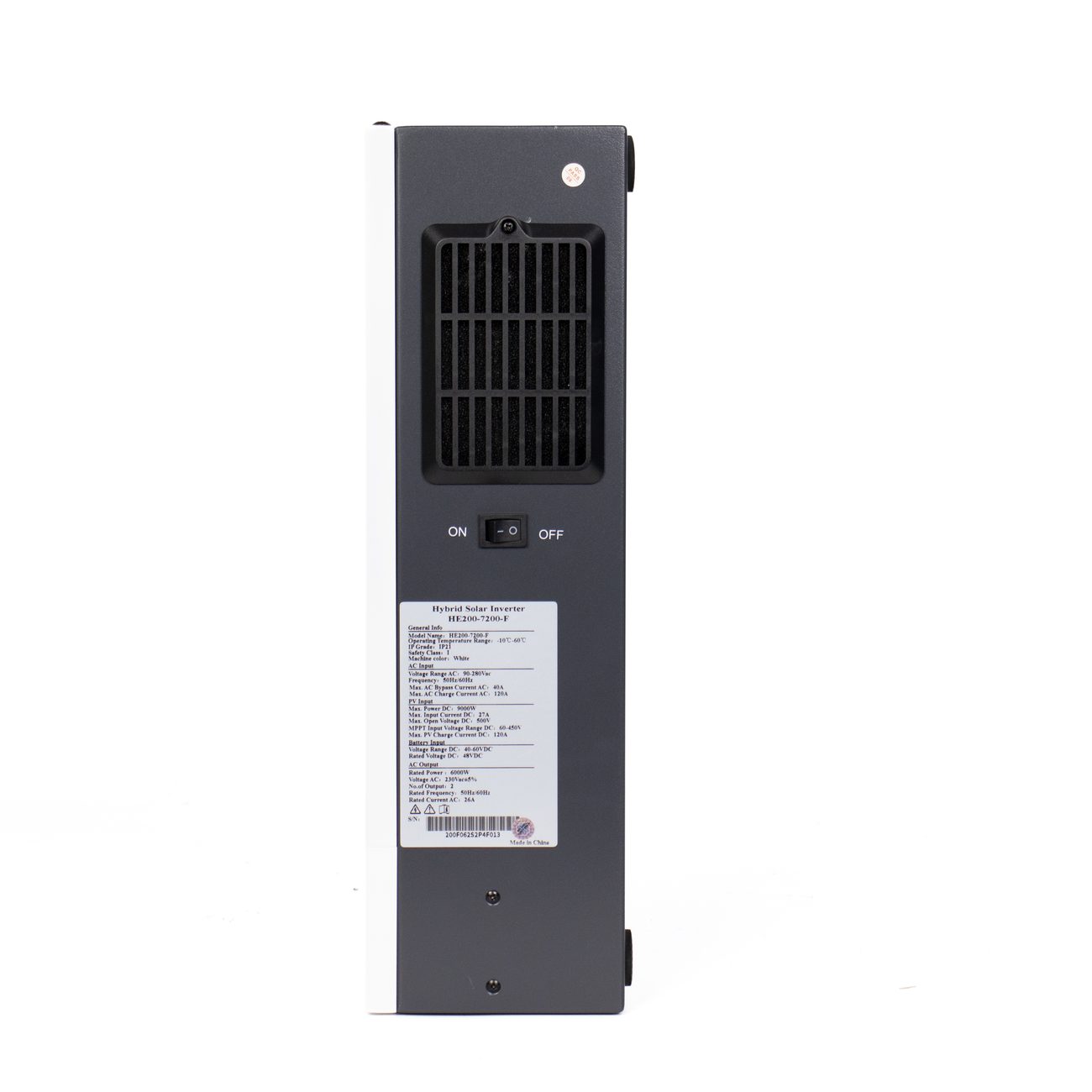
Fault codes by series — what this page covers
Not every series in our range publishes the same code set, so coverage is stated model by model rather than assumed:
| Series | Code table status | On this page |
|---|---|---|
| HE200 — 2500-O, 3000-O-I5, 6500-T, 7200-F | Complete fault and alarm tables | Fault codes 1–29, alarm codes 50–62 |
| HE300 — 4200-T, 7200-F, 12000-F, parallel models | Differs from HE200 in places | Not tabulated here |
| HE310-5000-F | No published fault table | Not covered |
| L2 / H3 / H4 all-in-one | No fault-code chapter in the documentation | Not covered |
This reference is compiled from the four HE200 manuals. The HE300 alarm and fault set is not identical — for example the HE300-4200-T raises a message tied to maximum utility charge current, which has no HE200 equivalent. We would rather leave that gap visible than publish a code table we cannot source.
For an HE300 code not listed here, send us the model, the code on the LCD and the indicator state — solid light or flashing — and we will match it against the manual for that unit.
Always follow the manual shipped with the unit. Where this page and the manual disagree, the manual governs.
Code 13 and code 59 in detail
Two codes account for a disproportionate share of the questions we receive, so they are expanded here.
Code 13 — negative power protection. In battery mode the unit measures load power; code 13 appears when that measurement is negative, meaning power is flowing into the inverter from the output side instead of out to the load. The manual defines the threshold (for example −1200 W) but does not prescribe a field remedy. In practice, look for a second AC source landing on the output side — a generator, another inverter, or a back-fed utility circuit — and confirm the measurement wiring direction.
Code 59 — EEPROM fault. An EEPROM read or write abnormality. It is recoverable by restoring factory defaults. If it returns after a defaults restore, treat it as a board-level issue rather than a settings problem and contact us before replacing parts.