
Installation & Wiring Guide
One line: The wiring rules that matter — cable sizes, breaker ratings, connection order and the parameter settings that damage units when set wrong. Always follow the manual shipped with the unit; this page highlights the critical points.

Before you connect anything
- Confirm the battery system is lithium or lead-acid and set the inverter accordingly. Setting the wrong type stops the system working.
- Read all labels and warnings on the equipment and the battery. Damage from installation that does not follow the manual may void the warranty.
- All work should be carried out by a qualified electrical engineer.
- All electrical installation must comply with local standards.
- When installing PV modules in daylight, cover them with opaque material — open-circuit voltage in sunlight is dangerous.
- Only charge lead-acid and lithium rechargeable batteries. Other types may explode.
- Do not disassemble the unit. Repairs go to a qualified service centre.
- Disconnect all wiring before maintenance or cleaning. Switching the unit off alone still leaves a shock risk.
Cable and breaker sizes
| Connection | Cable size | Breaker |
|---|---|---|
| PV input | 6 mm² | 32 A |
| Battery | 35–50 mm² | 150 / 250 A (by inverter power and battery minimum voltage) |
| Utility input / inverter output | 6–10 mm² | 32–63 A |
Reference cable sizes for the HE200-3000-O-I5 (metric and AWG):
| Circuit | Type | Size |
|---|---|---|
| AC input | AWG | 14 AWG |
| AC output | AWG | 14 AWG |
| PV input | AWG | 14 AWG |
| Battery input | AWG | 2 AWG |
The battery cable is the thickest in the system because battery current is the highest. On a 48 V system at 6 kW, battery current approaches 130 A; on a 24 V system at the same power it doubles.
The utility input must not pass through a residual current device (RCD). The inverter's harmonic filtering can be misread as a leakage fault, tripping the RCD and cutting supply. An AC breaker is optional but recommended for maintenance isolation.
PV string configuration
| Item | Requirement |
|---|---|
| Open-circuit voltage range | 60–450 V (HE200 hybrid) / 90–450 V (HE300) |
| Absolute limit | Do not exceed 500 V — exceeding it may damage the unit immediately |
| Recommended stringing | 4–8 panels in series for 540–700 W panels at 45–55 V open-circuit, then parallel for array size |
| PV cable | 6 mm² |
| PV breaker | 32 A |
| Max array power | Up to 9000 W per string on the larger HE200 models |
| Max string short-circuit current | 27 A (25 A class on some models) |
Always measure array output voltage before connecting it to the system.
Connection sequence
- Measure the utility, battery and PV voltages before connecting anything.
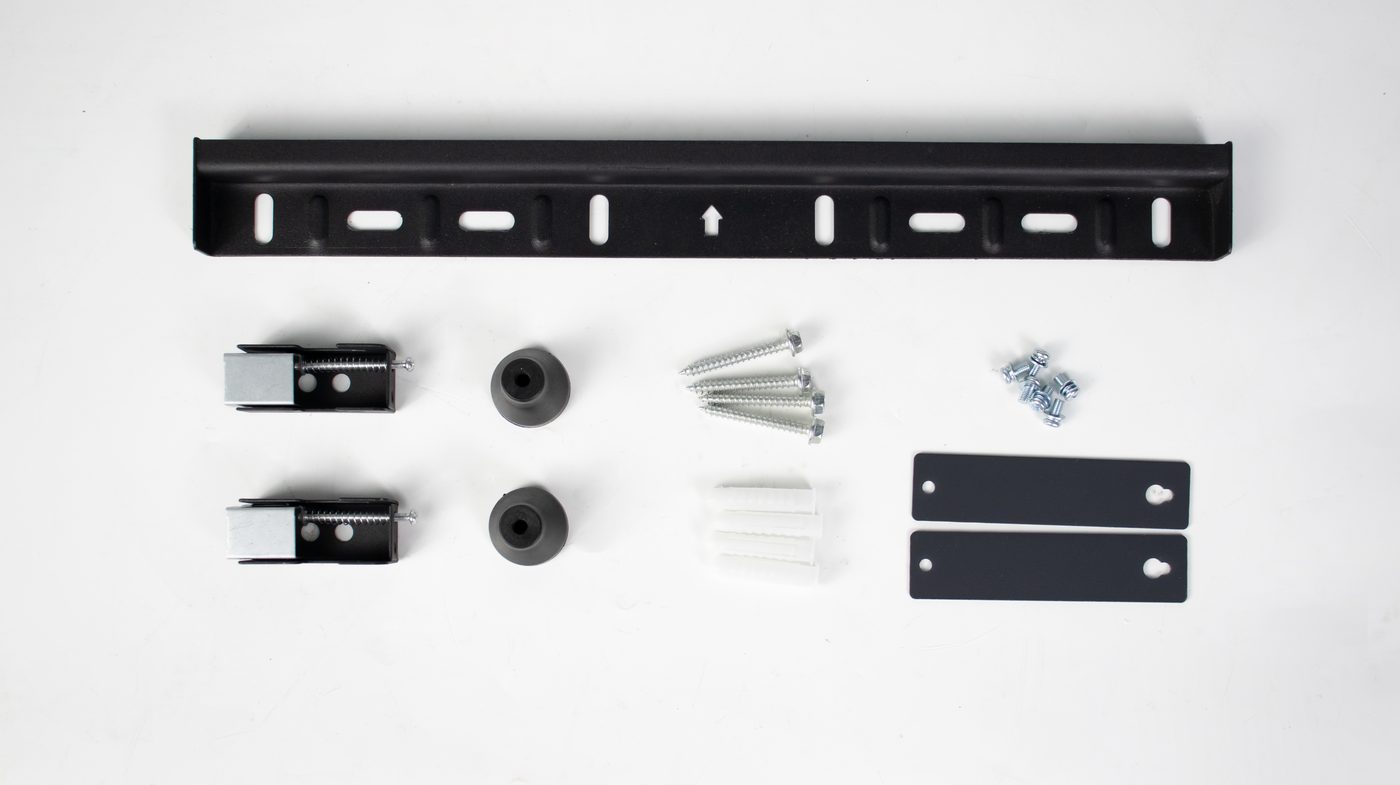
- With all switches open — battery, PV and utility all off — connect the wiring to the inverter.
- Make the final DC connection with the correct polarity confirmed. Ensure the positive terminal is correct.
- Do not close any AC or DC breaker until all electrical connections are complete.
- Follow the local standard for all cabling and components.
Safety order: connect and disconnect the battery only with the inverter powered down — utility off and PV off.
Post start-up settings
Work mode
| Series | Parameter |
|---|---|
| HE200 | Program 03 — select the appropriate work mode |
| HE300 | Program 01 — select the appropriate work mode |
Maximum charge current (PV + utility)
| Series | Parameter |
|---|---|
| HE200 | Program 07 |
| HE300 | Program 02 |
Charge-rate limits — never exceed these:
| Battery type | Limit | Example |
|---|---|---|
| Lead-acid | No more than 0.2C | 24 V 200 Ah → 200 × 0.2 = 50 A |
| Lithium | No more than 0.5C | 25.6 V 200 Ah → 200 × 0.5 = 100 A |
Excessive charge current shortens battery life sharply.
Charging source
| Series | Parameter | Note |
|---|---|---|
| HE200 | Program 05 | e.g. OPV to allow PV-only charging |
| HE300 | Program 16 | e.g. OSO to allow PV-only charging |
Battery type
| Series | Parameter | Factory default |
|---|---|---|
| HE200 | Program 17 | AGM lead-acid |
| HE300 | Program 05 | AGM lead-acid |
Gel and lead-acid batteries need no change. Lithium requires the communication setup below.
Recommended values
| Series | Parameter | Recommended |
|---|---|---|
| HE200 | Program 07 max charge current | Set to maximum (the BMS requests what it needs) |
| HE200 | Program 39 battery low protection | Change to 15 |
| HE200 | Program 41 (SBU: battery low → utility) | Change to 20 |
| HE200 | Program 40 (SBU: utility → battery) | Change to 35 |
| HE300 | Program 02 max charge current | Set to maximum |
| HE300 | Program 38 / 39 / 40 | Keep factory defaults |
Lithium battery communication
Path A — communication works (recommended)
| Series | Steps | Verify |
|---|---|---|
| HE200 | Battery type LIB → protocol Pylon or Growatt → check Program 38 | No inverter-battery communication fault appears |
| HE300 | Battery type LIA → protocol Pylon / Growatt / Victron → check Program 37 BMS comms on | No communication fault appears |
Once communication succeeds, the inverter follows the BMS for charge and discharge parameters.
Path B — communication fails (manual voltages)
HE200 series
| Parameter | Setting | Value |
|---|---|---|
| Program 38 | Communication | off |
| Program 19 | Low protection | 22.4 V (44.8 V) |
| Program 20 | Boost voltage | 28.8 V (57.6 V) |
| Program 21 | Float voltage | 28.4 V (56.8 V) |
| Program 07 | Max charge current | No more than 0.5C |
| Program 06 | Utility charge current | As Program 07 |
| Program 15 | SBU: battery low → utility | 24 V (48 V) for lithium |
| Program 16 | SBU: utility → battery | 26 V (52 V) |
HE300 series
| Parameter | Setting | Value |
|---|---|---|
| Program 05 | Battery type | USE (user-defined) |
| Program 29 | Low protection | 22.4 V (44.8 V) |
| Program 26 | Boost voltage | 28.8 V (57.6 V) |
| Program 27 | Float voltage | 28.4 V (56.8 V) |
| Program 02 | Max charge current | No more than 0.5C |
| Program 11 | Utility charge current | As Program 02 |
| Program 12 | SBU: battery low → utility | 24 V (48 V) for lithium |
| Program 13 | SBU: utility → battery | 26 V (52 V) |
Values in brackets are the doubled voltages for a 48 V system.
Lithium physical connection
- Connect the power cables first.
- Connect the battery BMS / RS485 port to the inverter BMS port — protocol RS485 or CAN.
- Ensure the connection is pin-to-pin.
- In the inverter, set the battery type to LIb (ternary lithium) or FEL (LiFePO4).
Lead-acid connection
- HE200-6500-T: use a 24 V nominal lead-acid bank of appropriate capacity.
- HE200-7200-F: use a 48 V nominal lead-acid bank.
- Set the type to AGM or FLD.
- Recommended charge current 0.3C (C ≤ battery capacity).
- Connect at least a 200 Ah battery.
Dual AC output wiring
From the 6500 W class upward, models provide a main and a secondary AC output:
- Main output — connect important loads here.
- Secondary output — connect non-important loads here.
- When battery charge runs low, the unit stops the secondary output to extend runtime on the main output.
Wi-Fi module
- Plug the Wi-Fi module into the COM port.
- Scan the QR code on the module packaging to download the app.
- Register and add the device by scanning the module's QR code.
- Complete Bluetooth network setup.
On models like the HE200-7200-FP the module is external, providing generation data, fault alarms and OTA updates through the app and cloud platform.
Terminal layout
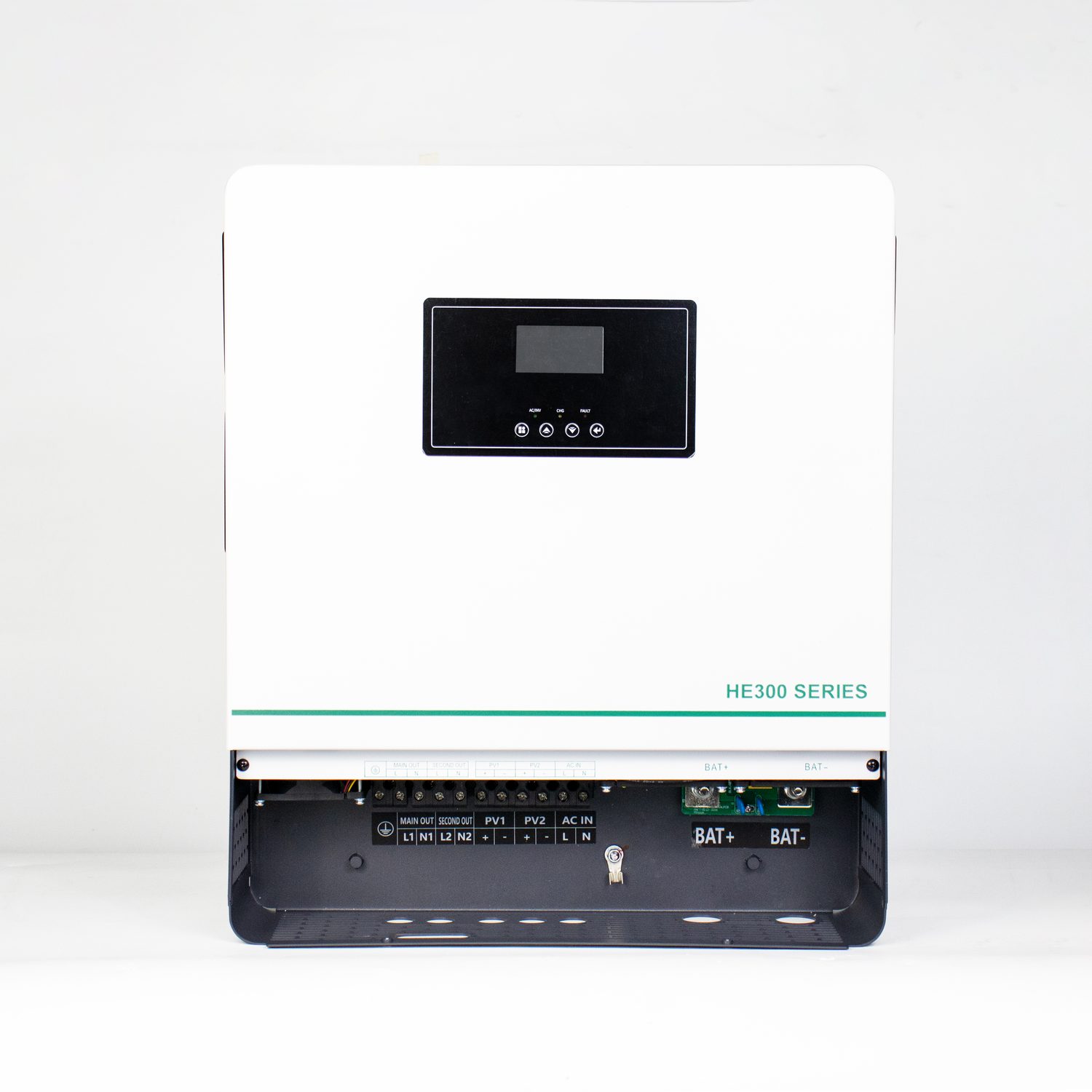
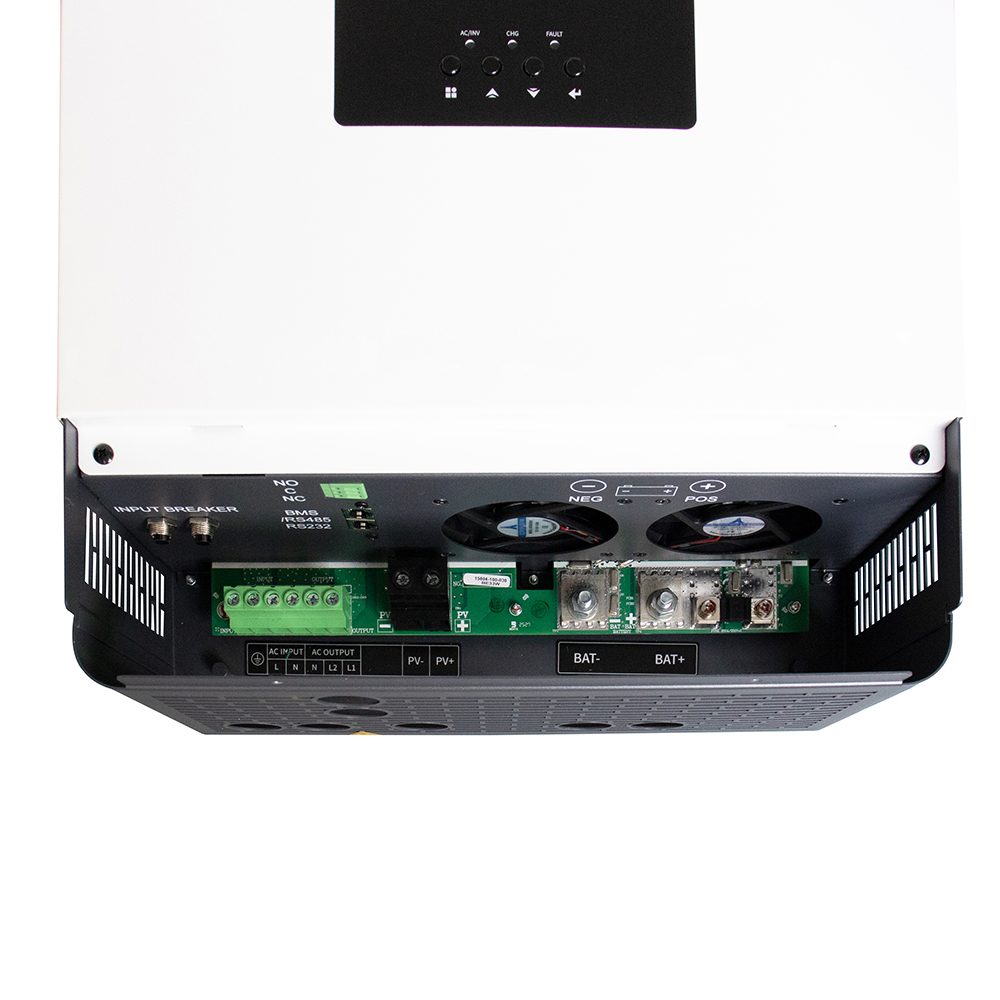
On the HE200-6500-T / 7200-F, the connection terminals are:
① Utility input · ② AC main output · ③ AC secondary output · ④ Battery input · ⑤ PV input · ⑥ Earth · ⑦ COM port (Wi-Fi) · ⑧ BMS communication port
LCD buttons: exit · up · down · enter/confirm Indicators: AC · inverter · charge · fault · LCD display
Safety warnings
| # | Rule |
|---|---|
| 01 | Ground the inverter to a permanent earthing system |
| 02 | Never short the AC output to the DC input |
| 03 | Never charge a frozen battery |
| 04 | Be extremely careful with metal tools near batteries — a dropped tool can spark or short and cause an explosion |
| 05 | Disconnect AC and DC terminals strictly in the prescribed order |
| 06 | Select cable sizes to code |
| 07 | Disconnect the inverter from all external power for at least 5 minutes before maintenance |
| 08 | Do not disconnect under load |